To message your Cleo Guide, open your Cleo App and select the chat bubble in the center of the bottom menu bar.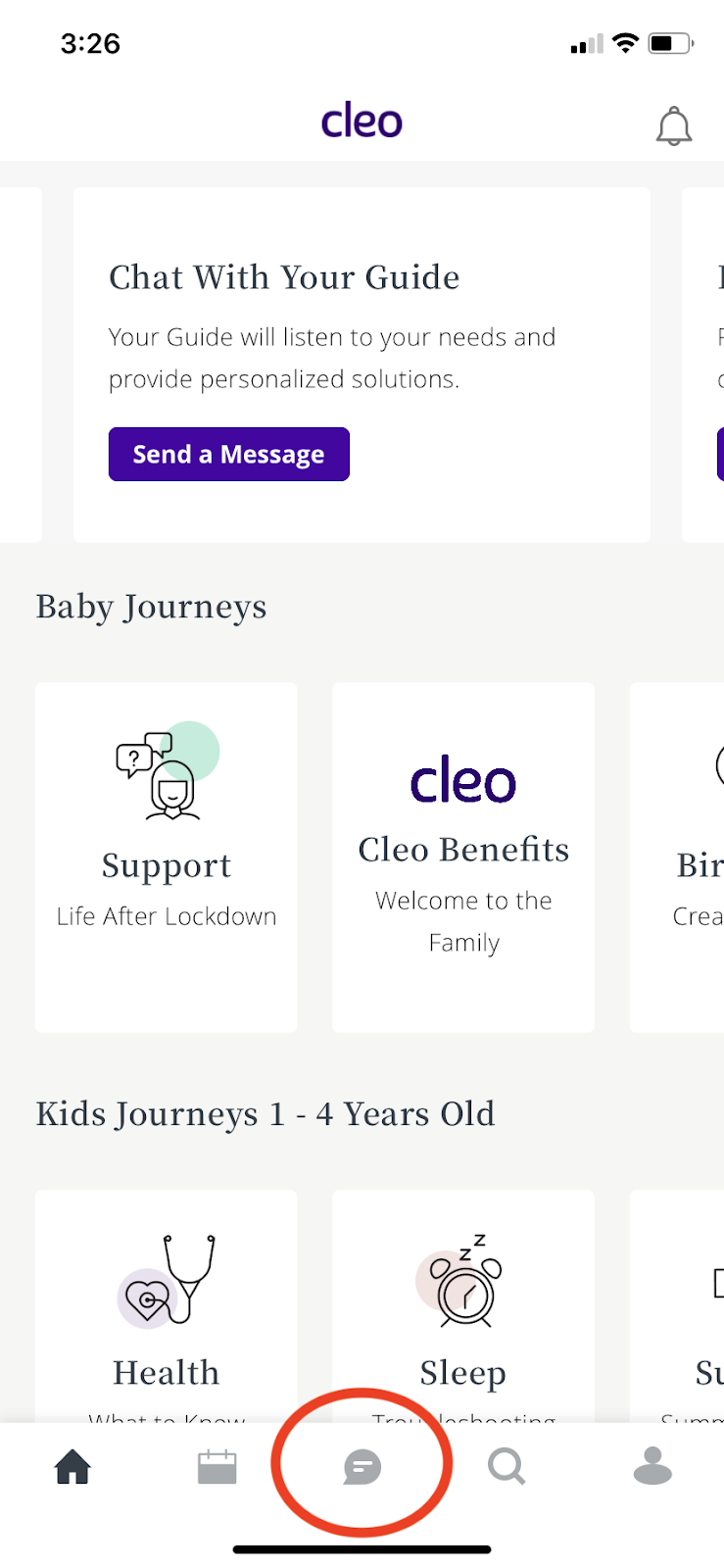
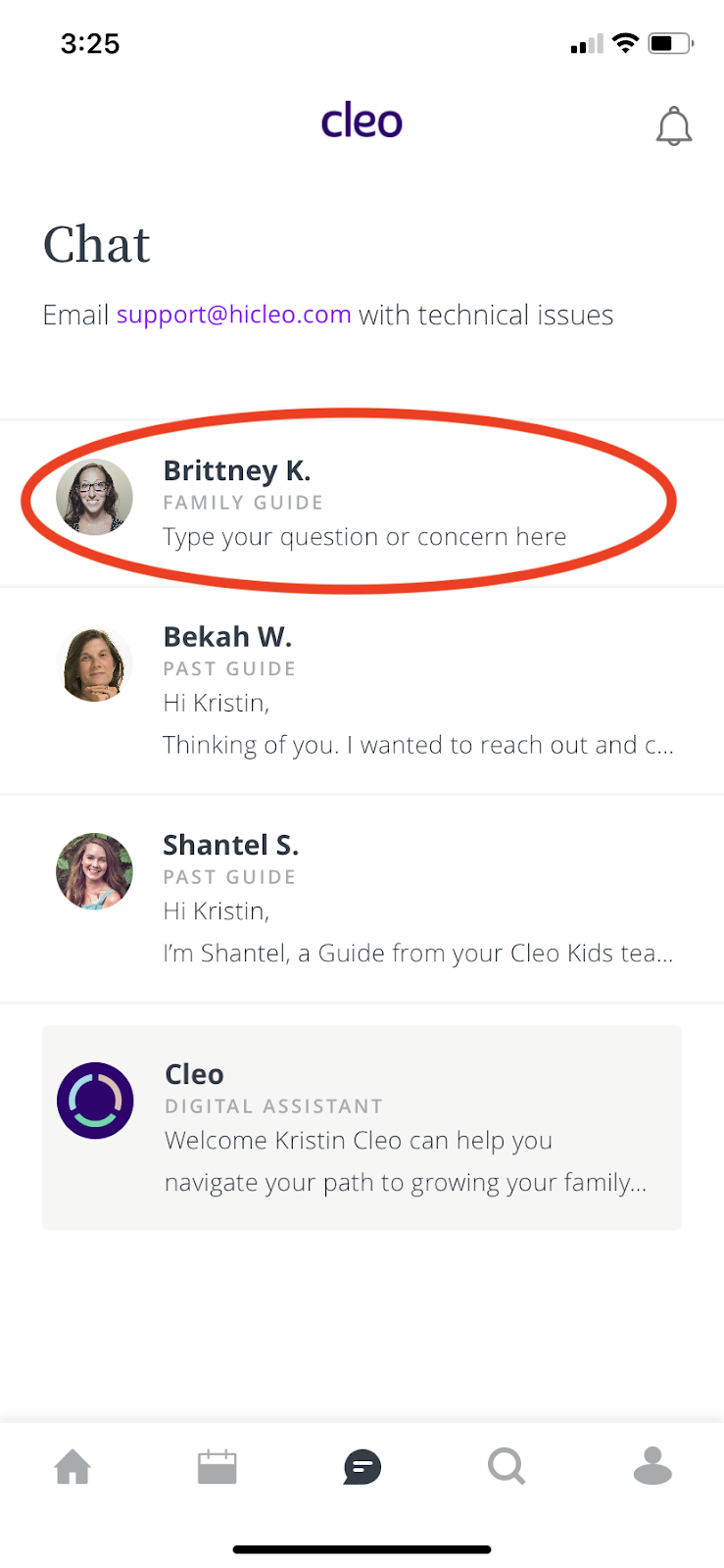
Click your Guide’s name.
Type something into the text box. Finally, hit the paper airplane icon to send.
To message your Cleo Guide, open your Cleo App and select the chat bubble in the center of the bottom menu bar.
Click your Guide’s name.
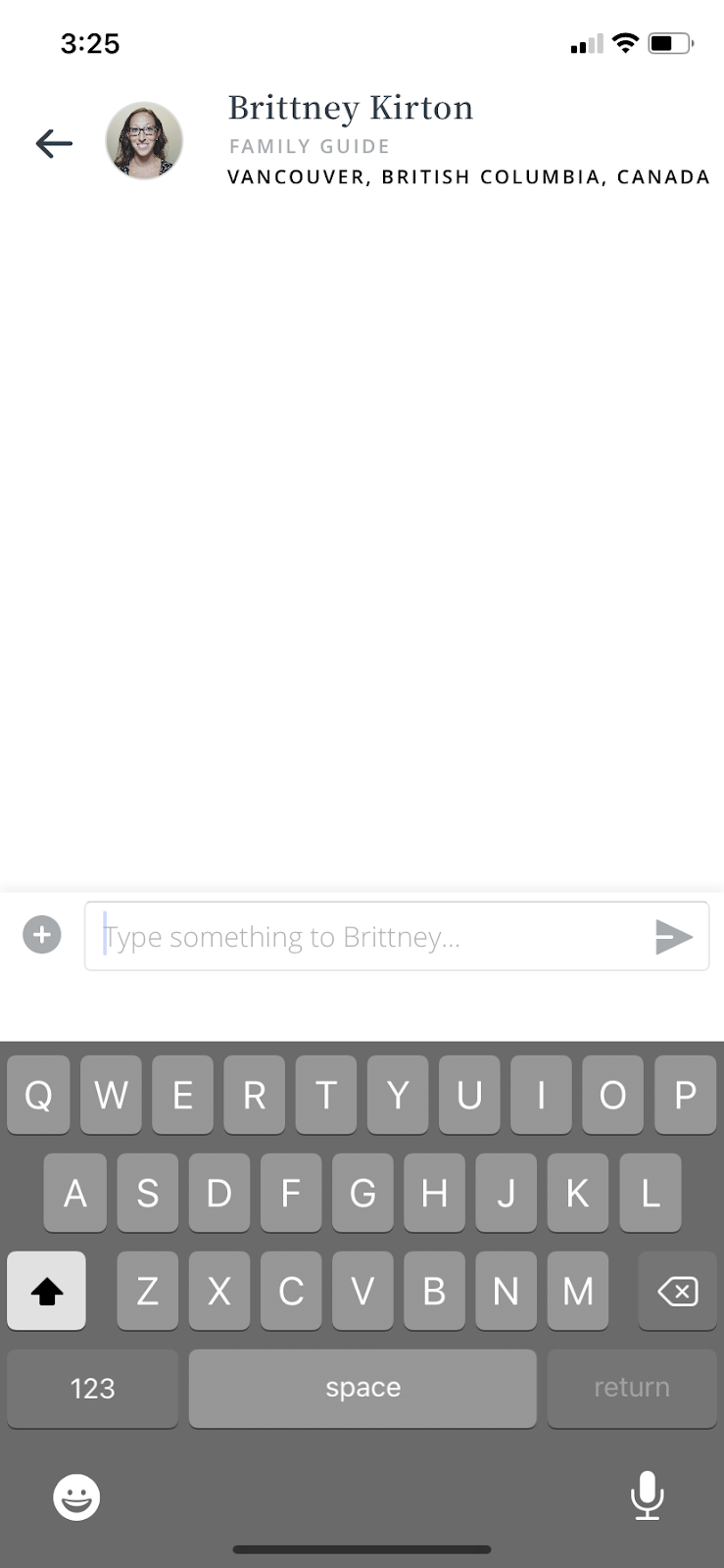
Type something into the text box. Finally, hit the paper airplane icon to send.